Why people look for a Termius alternative
Termius is a solid, mature SSH client, and most people searching for an alternative to Termius aren't unhappy with its quality. They're reacting to one of four things:
- Price. Termius Pro is $10 per user per month billed annually (~$120/year); month-to-month costs meaningfully more. See termius.com/pricing for the current figure.
- Sync is the paywall. The free Starter plan is generous — unlimited hosts, SFTP, port forwarding, AI autocomplete, commercial use allowed — but synchronization does not work on it. Your hosts and keys live on one device. We broke the tiers down in Termius free vs paid.
- Desktop-first feel on a phone. Termius is one product stretched across five platforms; some people want something designed for a 6-inch screen.
- Different workflows. Compare the actual tasks you need: conversational assistance, Tailscale access, local files, desktop sync and team administration. AI autocomplete and a conversational assistant are different interfaces.
Short version: if you want the closest like-for-like at a lower price with AI and Tailscale built in on iPhone and Android, TermAI is the most direct swap. If you live entirely on one platform, a native-only app like Blink (iOS) or Prompt 3 (Apple ecosystem) may suit you better. If you want desktop and open source, Tabby is the answer. The table below is the fast answer; the sections after it explain the why.
Termius plan details were checked against its official pricing page on September 30, 2026. App Store pricing changes and varies by region — treat each vendor's own page as authoritative. Disclosure: TermAI is our app, and we've tried to state its limits as plainly as its strengths.
First, a disambiguation: Terminus or Termius?
These two names get searched interchangeably, and they are not the same product. Which one you mean changes the answer completely:
- Termius — the commercial cross-platform SSH client (Windows, macOS, Linux, iOS, Android), formerly called Server Auditor. This is what most people mean, and it's what the rest of this guide covers.
- Terminus — the old name of Tabby, the open-source terminal emulator and SSH manager by Eugeny. The project renamed itself to Tabby precisely because "Terminus" was too close to Termius (and because a different terminal app in the Debian/Ubuntu repos already used the name).
- Terminus is also an unrelated B2B marketing platform and a Drupal/Pantheon CLI tool — if a search result quotes five-figure monthly pricing, that's the marketing company, not a terminal.
So: looking for Terminus alternatives? If you meant the open-source terminal, you're looking for Tabby alternatives — Tabby is free, cross-platform (Windows/macOS/Linux) and open source, and the closest peers are WindTerm, Electerm, Warp, iTerm2 and Windows Terminal. We have a direct Termius vs Tabby comparison. If you meant the mobile/desktop SSH client, read on — everything below applies.
The 2026 comparison at a glance
| Client | iOS | Android | Desktop | AI | Tailscale | Price (check billing term) |
|---|---|---|---|---|---|---|
| TermAI | ✅ | ✅ | ❌ | ✅ native | ✅ built-in | Free tier; $2.99/mo |
| Termius | ✅ | ✅ | ✅ | ✅ autocomplete (free tier) | ❌ | Free tier; $10/mo billed annually |
| Blink Shell | ✅ | ❌ | ❌ | ❌ | ❌ | $19.99/yr |
| Prompt 3 | ✅ | ❌ | ✅ macOS | ❌ | ❌ | $19.99/yr or $99 once |
| Secure ShellFish | ✅ | ❌ | ✅ macOS | ❌ | ❌ | ~$14.99/yr or one-time |
| JuiceSSH | ❌ | Verify availability | ❌ | ❌ | ❌ | Check official store |
| Termux | ❌ | ✅ | ❌ | ❌ | via package | Free, open source |
| ConnectBot | ❌ | ✅ | ❌ | ❌ | ❌ | Free, open source |
| Tabby (ex-Terminus) | ❌ | ❌ | ✅ | ❌ | ❌ | Free, open source |
A note on fairness: every app here is good at something, and the differences below are about fit, not quality. Two rows deserve an immediate footnote. Termius's AI is no longer a straightforward "paid add-on" — its AI autocomplete and command generation now run on the free Starter plan; check the current vendor documentation for the availability of other AI features. And JuiceSSH is no longer a live recommendation — see the section below. For the overall cross-platform pick beyond just Termius alternatives, see the best SSH client in 2026.
Termius pricing in 2026 — what you'd actually be saving
Because "is it worth the money" is the reason most people land here, the numbers up front (annual billing, per Termius's pricing page):
| Plan | Price (annual billing) | What it's for |
|---|---|---|
| Starter | Free | One person, one device; SSH, SFTP, tunnels, AI autocomplete — no sync |
| Pro | $10 / user / month (~$120/yr) | Cloud vault, cross-device sync, snippets automation |
| Team | $20 / user / month | Shared vaults and shared infrastructure |
| Business | $30 / user / month | Advanced controls and compliance |
| Enterprise | Custom | Centralised access at scale |
Three things that change the maths:
- Match the billing period. The displayed Pro rate is a monthly equivalent with annual payment. Check the vendor checkout for month-to-month pricing before comparing it with a monthly TermAI subscription.
- There is no one-time purchase. Termius is subscription-only at every paid tier, and has published its reasoning. If you want to pay once, you're looking at Prompt 3's $99 lifetime option, Secure ShellFish's one-time tier, or free/open-source clients.
- Two legitimate ways to pay nothing. Students with the GitHub Student Developer Pack get Pro and Team features free, and Termius runs an open source maintainer programme (core contributors, project 30+ days old, non-commercial use). If either applies to you, the price objection disappears entirely.
Against that, TermAI Pro is $2.99/month and Team is $7.99/seat/month — roughly a third of Termius's rates, because we're not selling desktop parity or an enterprise compliance story. The honest comparison isn't "$10 versus $0"; it's $10/month for desktop-and-mobile parity against $2.99/month for a phone-first client with Tailscale and AI included.
1. TermAI — the closest cross-platform swap
TermAI maps most directly onto what Termius does on mobile — hosts, keys, SFTP, sync across iOS and Android — while adding a mobile-first AI workflow and built-in Tailscale, at a lower price. The free tier is unlimited SSH and SFTP plus 5 AI requests a day; Pro is $2.99/month. We keep a feature-by-feature TermAI vs Termius comparison up to date if you want the detailed table.
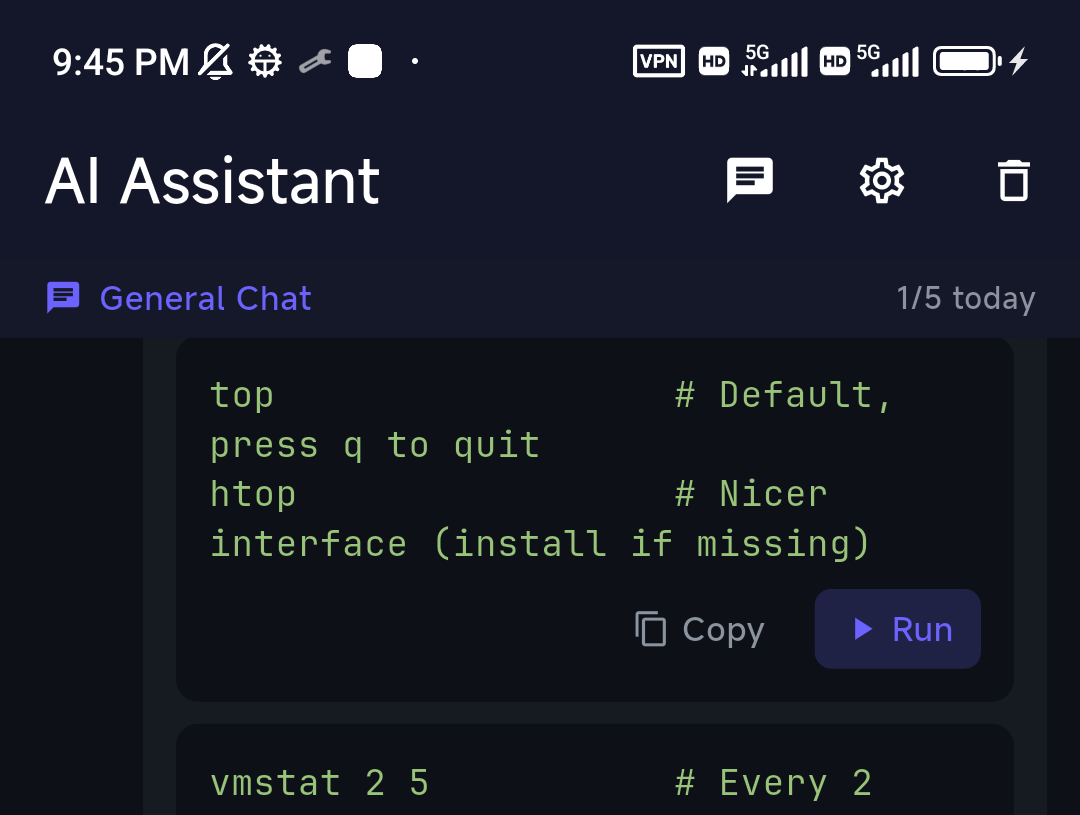

Where it genuinely differs from Termius:
- Built-in Tailscale — reach a home server or a firewalled VPS without exposing port 22 and without a second VPN app running in the background. Termius has no equivalent.
- Paid cloud sync. Both products reserve cloud sync for paid plans. TermAI syncs supported connection settings across its mobile apps; passwords and private keys are excluded.
- AI as an in-terminal step, not a chat box. Suggest, read, confirm, run — the reasoning is in letting AI run shell commands on mobile, safely.
Best for: people who use both iPhone and Android, want AI command help and sync without a $120/year subscription, or reach servers over Tailscale.
Trade-off: no desktop app. If a Windows/Linux/Mac client is essential to your workflow, Termius wins outright, or pair TermAI with a desktop tool like Tabby.
2. Blink Shell — the iOS power-user pick
Blink is the most respected terminal on iOS, and for good reason: excellent Mosh support (sessions survive a subway tunnel or a switch from Wi-Fi to cellular), a keyboard-first design, local UNIX tools, and a feel that desktop users trust. If you're iPhone/iPad-only and you live in the terminal, Blink is hard to beat.
Pricing is Blink+ at $19.99/year after a free trial, with a lifetime option and a separate Build tier for cloud dev environments; a free "Blink Shell Classic" build also exists on the App Store.
Best for: advanced iOS/iPadOS users who want Mosh and a keyboard-centric workflow, especially with a hardware keyboard on an iPad.
Trade-off: iOS/iPadOS only (no Android, no Windows), no AI assistant, no built-in Tailscale, and a steeper learning curve — it expects you to know your way around a shell. See Blink Shell vs Termius for the head-to-head.
3. JuiceSSH — verify availability before migrating
An existing JuiceSSH installation working today does not establish whether you can reinstall it or whether its developer will ship another update. Check the official Google Play listing on your own device and account before resetting or replacing your phone. We do not have an official developer statement establishing a permanent end of support or the reason for a listing change. Keep a working access path while preparing an alternative.
Prepare hostnames, usernames and a tested authentication method in your replacement client. Generate a new key where appropriate, add its public half while old access works, test a separate session, and only then retire the old access. See JuiceSSH alternatives and migration.
4. Termux — different tool, not an SSH client (Android)
Termux is frequently suggested as a Termius alternative, but it's a different category: it's a full Linux environment on Android, not a managed SSH client. You can pkg install openssh and SSH from it, but you manage hosts and keys yourself on the command line, in ~/.ssh/config, exactly as you would on a laptop. It's free, open source and genuinely powerful — just not a like-for-like swap.
Best for: Android tinkerers who want a real Linux sandbox — ssh, tmux, rsync, git, a package manager — and don't mind manual setup.
Trade-off: no managed host list, no GUI key management, no sync. Install it from F-Droid or GitHub, not Google Play — the Play Store build is deprecated and unmaintained because Play's API-level policy is incompatible with how Termux works.
Termux vs Termius: which do you actually need?
This is the single most confused comparison in Android SSH, mostly because the names differ by one letter. They solve different problems:
| Termux | Termius | |
|---|---|---|
| What it is | A Linux environment running on your phone | A managed SSH client for connecting to servers |
| Where the work happens | Locally, on the device | Remotely, on your servers |
| Host & key management | Manual (~/.ssh/config) | GUI vault, groups, tags |
| Platforms | Android only | Android, iOS, Windows, macOS, Linux |
| Sync | None (roll your own) | Paid tiers only |
| Price | Free, open source | Free tier; $10/mo Pro (annual) |
| Install from | F-Droid / GitHub | Google Play / App Store |
The one-line rule: if your work is local — compiling, scripting, running Python on the phone itself — you want Termux. If your work is remote — restarting nginx on a VPS from a train — you want an SSH client. Plenty of people install both, and there's no conflict in doing so. The long version is in Termius vs Termux, and ConnectBot vs Termux covers the free-only variant of the same question.
5–6. Prompt 3 and ConnectBot
Prompt 3 (Panic) has outgrown its "iOS-only" label: it now runs on iPhone, iPad, Mac and Apple Vision Pro from a single purchase, priced at $19.99/year with a $99 lifetime option and a free trial. If you value polish inside the Apple ecosystem and want one app on your phone and your Mac, it's the strongest non-subscription-forever answer here. No AI, no Tailscale, no Android. See Prompt 3 vs Termius.
ConnectBot is the venerable free, open-source Android client, and with JuiceSSH gone it's now the default answer for "free, no account, no cloud" on Android. It's reliable and maintained, but the interface shows its age and it has no SFTP, no sync and no AI. If you're weighing these two specifically, see Termius vs ConnectBot.
Also worth knowing: NaviTerm, ServerCat, Secure ShellFish
Three more names that come up on AlternativeTo and in "apps like Termius" threads, all Apple-focused:
- NaviTerm — a newer native client for Mac, iPhone and iPad with an AI angle and a notably cheap ladder (listed from about $0.99/month, ~$5.99/year, or a one-time lifetime tier, with a free tier capped at a handful of hosts). Worth a look if you want something modern on Apple devices without a Termius-sized subscription.
- ServerCat — leans toward server monitoring (CPU, memory, Docker) alongside SSH, with a free tier and a low-cost yearly or lifetime unlock. A good fit if you want dashboards more than a pure terminal. iOS/iPadOS.
- Secure ShellFish — its trick is putting your servers into the iOS Files app over SFTP, which is excellent for moving and editing files, plus widgets and Shortcuts integration. Runs on iOS and Mac; subscription or one-time purchase. More an SFTP companion than a full terminal.
All three are Apple-only and none has built-in Tailscale — which is the usual reason people who need one app across iPhone and Android end up elsewhere.
Best Termius alternatives for Android
The Android field narrowed sharply in 2026 when JuiceSSH left the Play Store. What's actually installable and maintained today:
- TermAI — closest to Termius's "tap a saved host, be in a shell" feel, with Tailscale and AI included, free tier, $2.99/mo Pro. No desktop app.
- ConnectBot — free, open source, no account, no cloud. No SFTP, dated UI, but it does one job well.
- Termux — a Linux environment, not a client (see above). Install from F-Droid.
- Termius itself — still the pick if you need the same host list on a Windows or Linux desktop.
- JuiceSSH — verify installation and maintenance information before relying on it.
Two Android-specific things to check before you commit: whether the app supports hardware-backed key storage (keys in the Android Keystore rather than a file the app can export), and how it behaves under aggressive battery optimisation — some OEM skins kill background connections, which is where Mosh or a persistent tmux session on the server saves you. Longer roundup: the best SSH app for Android in 2026, and if you arrived from the Windows world, PuTTY for Android.
Best Termius alternatives for iPhone and iPad
iOS has the strongest field of any platform here, and the right answer depends on what you're optimising for:
- Power user, hardware keyboard, flaky networks → Blink Shell ($19.99/yr) for Mosh and keyboard-first ergonomics.
- Apple-ecosystem polish, pay once → Prompt 3 ($99 lifetime, and you get the Mac app too).
- Files-app integration and file work → Secure ShellFish.
- Monitoring dashboards alongside SSH → ServerCat.
- Same app on Android too, plus AI and Tailscale → TermAI.
One iOS caveat that catches people out: iOS suspends backgrounded apps, so a plain SSH session dies when you switch apps or lock the screen. Mosh (Blink) or a server-side tmux/screen session is the fix — the mechanics are in Mosh vs SSH and keeping a process running after you disconnect. Full roundups: best SSH client for iPhone and best SSH client for iPad.
Termius alternatives for Mac (and Windows/Linux)
If your real need is a desktop Termius replacement, TermAI is not it — we're mobile-only, and saying otherwise would waste your time. The realistic desktop field:
- Tabby (the app formerly called Terminus) — free, open source, cross-platform, with an SSH connection manager, SFTP panel, split panes and optional config sync. The closest open-source match to Termius's shape. Termius vs Tabby.
- iTerm2 — free, macOS-only, the classic power terminal. No host vault; you live in
~/.ssh/config. Perfect if you already work that way. - Warp — AI-first terminal for macOS/Linux/Windows. Great for local development, weaker as a fleet-management tool. Warp alternatives and Termius vs Warp.
- Royal TSX — worth it specifically if you juggle mixed protocols (SSH plus RDP and VNC) in one connection list.
- Secure ShellFish / Prompt 3 — the Mac-plus-iPhone answer if you want one purchase covering both.
- Windows: Windows Terminal + OpenSSH is free and built in and covers the basics; MobaXterm, Xshell and PuTTY remain the classics. Termius vs MobaXterm, Termius vs PuTTY.
- Linux: OpenSSH plus your terminal of choice; Remmina if you want a GUI connection manager, Ghostty if you want a fast modern terminal (comparison).
A pattern that works well and costs less than Termius Pro: a free desktop tool (Tabby or iTerm2 plus ~/.ssh/config) alongside a cheap phone-first client. You give up a single synced vault across both; you save about $100 a year.
Open-source Termius alternatives
"Open source Termius alternative" is one of the most common versions of this search, and the honest answer differs by platform:
- Desktop — Tabby (MIT, Windows/macOS/Linux) is the flagship. WindTerm and Electerm are strong cross-platform SSH/SFTP managers, mRemoteNG covers multi-protocol on Windows, and PuTTY and OpenSSH are the bedrock.
- Self-hosted / web — Termix is a newer free, open-source, self-hosted server manager (SSH panels, file manager, Docker) that people increasingly cite as the open-source Termius replacement. Apache Guacamole is the older, heavier answer if you also need RDP/VNC in a browser.
- Android — ConnectBot (Apache 2.0) and Termux (GPL) are both genuinely open source and genuinely free.
- iOS — there is Blink Shell has an open-source codebase. App Store distribution and subscription terms are separate from source licensing; verify both before choosing.
Worth knowing: if open source matters to you because of the cost, Termius's own open source maintainer programme may get you a free Team account. If it matters because you want to audit the code that holds your keys, that programme doesn't help and Tabby/ConnectBot/Termix are the honest answer.
What about a Termius alternative that does teams?
Shared infrastructure is where the cheap alternatives thin out. Termius Team ($20/user/month) buys shared vaults, shared host definitions and central member management, and that's a real product with real compliance work behind it. The realistic alternatives: Teleport or Boundary if you actually need audited, certificate-based access control (a different and much larger category than an SSH client); Tailscale SSH plus ACLs if your team is small and already on a tailnet (how that works); or TermAI Team at $7.99/seat/month for a phone-first team that mostly needs shared hosts rather than an audit trail. If the words "SOC 2 evidence" appear in your requirements, stay with Termius Business or move up to a bastion product — don't try to save $12/seat on that.
How to pick in one minute
- You use iPhone and Android, or want AI/Tailscale/sync without paying extra → TermAI.
- You're iOS-only and a terminal power user → Blink Shell.
- You want Apple polish across iPhone and Mac, paid once → Prompt 3.
- You mostly move files → Secure ShellFish.
- You want free and open source on Android → ConnectBot.
- You want a full Linux sandbox on Android → Termux (F-Droid).
- You want open source on the desktop → Tabby (the app formerly called Terminus).
- You want self-hosted and open source → Termix.
- You need desktop + mobile parity, shared team vaults, or compliance → stay on Termius. It's the right tool for that job.
Migrating from Termius
Termius doesn't offer a clean one-click export of connections, so migration is mostly re-adding hosts. The good news: if you authenticate with SSH keys, your servers don't change — only the client does. Do it in this order so you never lock yourself out:
- Inventory first. Write down each host: address, port, username, auth method, jump host, any port-forwarding rules. Do it while Termius still opens.
- Install the new client alongside the old one. Two SSH clients on one device is fine; don't uninstall anything yet.
- Prefer generating fresh keys over exporting old ones. You get modern ed25519 keys, the private key never sits in a clipboard or an email, and any key that's been copied around for years gets retired. (If you must move an existing key, move it on-device — never mail it to yourself.)
- Add the new public key before removing the old one. Append it to
~/.ssh/authorized_keyswhile your existing access still works — ssh-copy-id is the fast way. - Verify from the new app on a fresh connection, not a cached session.
- Only then revoke the old key and uninstall.
If a host has provider console access (DigitalOcean/Hetzner/OVH web console, Proxmox shell, IPMI), confirm you can reach it before step 6. That console is your undo button. For a small fleet this is a ten-minute job; for a large one, budget an afternoon and do it in batches. New to a phone-first client? The visual getting-started guide covers adding your first host and importing keys.
Sources and a practical check before switching
Termius plan details were checked on September 30, 2026 against its official pricing page. Other useful primary sources are ConnectBot, Blink Shell and Prompt. Store prices and offers depend on region and billing period. TermAI is our product; its screenshots illustrate the interface, not a controlled comparative benchmark.
TermAI includes 5 AI requests per day in the free tier. Paid plans provide monthly AI token allowances, shown in the app. Cloud sync is paid and excludes passwords and private keys. Review the current plan details and AI data-handling information before choosing a workflow.
For your own acceptance check, use a non-production host and record the phone OS, app version and authentication method. Verify the host fingerprint through a trusted server console, open a fresh session, test the special keys and any required file transfer, then check reconnection after a network change. Record what happened rather than assuming another device behaves identically. Keep the old client and a recovery login until the new setup works.
FAQ
What is the best Termius alternative in 2026?
It depends on platform. For iPhone and Android with AI and Tailscale built in, TermAI ($2.99/mo, free tier). For iOS power users, Blink Shell. For the Apple ecosystem paid once, Prompt 3. For open-source desktop, Tabby. For free on Android, ConnectBot. If you need desktop parity and team vaults, Termius itself is still the best tool for that job.
How much does Termius cost in 2026?
Termius Pro is $10 per user per month billed annually (~$120/year); month-to-month is reported near $19.99. Team is $20/user/month and Business $30/user/month, both annualised, with Enterprise custom. The free Starter plan is real — unlimited hosts, SSH, SFTP, port forwarding, AI autocomplete, and commercial use is allowed — but it does not sync between devices. Check termius.com/pricing before committing; Termius has repriced more than once.
Is Termius free? What's actually behind the paywall?
The current pricing page lists a free Starter plan. The paywall is essentially one idea expressed three ways: cross-device sync, the cloud vault, and snippets automation. SFTP, tunnels, multiple hosts and AI autocomplete are all free. Full breakdown in Termius free vs paid.
Is there a free Termius alternative?
Yes. On Android, ConnectBot and Termux are free and open source. On desktop, Tabby, iTerm2, Windows Terminal and PuTTY are free. TermAI has a free tier (unlimited SSH and SFTP, 5 AI requests/day) across iOS and Android. Free choices generally trade away sync, SFTP, or polish — pick which one you can live without.
Is there an open-source Termius alternative?
On desktop: Tabby (formerly Terminus), WindTerm, Electerm, mRemoteNG. Self-hosted: Termix. On Android: ConnectBot and Termux. On iOS there is an open-source option in Blink Shell; its source license does not mean every App Store plan is free. Note that Termius also runs a free programme for open source maintainers if cost rather than auditability is your motivation.
What's the best Termius alternative for Android?
TermAI if you want the managed-host experience with Tailscale and AI; ConnectBot if you want free, open source and no account; Termux if you actually want a Linux environment rather than an SSH client. JuiceSSH is no longer a candidate — it was unpublished from Google Play in December 2025.
What's the best Termius alternative for iPhone specifically?
Blink Shell for power users (Mosh, hardware keyboard). Prompt 3 if you want a one-time $99 purchase that also covers your Mac. Secure ShellFish if your work is mostly files. TermAI for AI, Tailscale and Android parity. All four beat Termius on mobile ergonomics; none of them beat it on desktop.
What's a good Termius alternative for Mac?
Tabby (free, open source, closest in shape to Termius), iTerm2 (free, if you're happy in ~/.ssh/config), Warp (AI-first), Royal TSX (if you also need RDP/VNC), or Prompt 3 / Secure ShellFish if you want the same app on your iPhone. TermAI is mobile-only, so it isn't a Mac answer.
Termius or Terminus — are they the same thing?
No. Terminus is the former name of Tabby, the open-source cross-platform terminal; it was renamed specifically because the names were confusingly close. Termius is the commercial SSH client. If you searched "Terminus alternatives" and wanted the open-source terminal, look at WindTerm, Electerm, Warp, iTerm2 or Windows Terminal.
Termux vs Termius — which one do I need?
Termux is a Linux environment that runs on your Android phone; Termius is a client for connecting to remote servers. Local work → Termux. Remote servers → an SSH client. They're complementary, not competitors, and plenty of people run both. Details in Termius vs Termux.
Is JuiceSSH still worth it in 2026?
Verify installation, purchase restoration and maintenance information using the official store and developer sources. Keep your existing server access while testing a replacement; a working old installation does not establish future support.
Can I import my Termius hosts into another app?
Not through a one-click export. Plan on re-adding hosts manually, and treat it as a chance to generate fresh ed25519 keys per device rather than carrying an old key across. The migration checklist above keeps you from locking yourself out mid-move.
Does any Termius alternative have built-in Tailscale?
Among mobile clients, TermAI is the one that ships Tailscale in-app, so you can reach a machine behind NAT without a second VPN app. On Android, Termux can install the Tailscale package if you're comfortable on the command line. Termius has no built-in equivalent — you run the Tailscale app alongside it.
Quick Facts
- Topic: the best Termius alternatives in 2026 — iPhone, Android, Mac, desktop and open source
- Termius pricing (Aug 2026): free Starter (no sync); Pro $10/user/mo annual (~$120/yr); Team $20; Business $30
- What's actually paywalled in Termius: cross-device sync, cloud vault, snippets — not SFTP, tunnels or AI autocomplete
- Closest cross-platform mobile swap: TermAI — AI and Tailscale built in, paid cloud sync, $2.99/month Pro with monthly AI allowances
- iOS power-user pick: Blink Shell ($19.99/yr, Mosh, keyboard-first, iOS/iPadOS only)
- Apple pay-once pick: Prompt 3 — $19.99/yr or $99 lifetime, covers iPhone, iPad, Mac and Vision Pro
- Open source: Tabby (formerly Terminus) on desktop, Termix self-hosted, ConnectBot and Termux on Android
- JuiceSSH status: verify current installation, purchase-restoration and maintenance information
- Terminus ≠ Termius: Terminus was renamed Tabby; the similar names drive a lot of confused searches
- Migration: no one-click export from Termius; re-add hosts, generate fresh keys, revoke old ones last
Free on iOS and Android. 5 AI requests/day on the free tier, plus unlimited SSH/SFTP and built-in Tailscale.