Tailscale + SSH on mobile, the short version
Tailscale puts your phone and your servers on one private network (a "tailnet"), each with a stable private IP in the 100.x.y.z range, so you can SSH to a box from anywhere without forwarding ports or exposing SSH to the internet. Three different things get called "Tailscale SSH", and picking the right one is most of the work:
- SSH over Tailscale — you reach the server's private tailnet address and log in with your normal SSH key. Nothing changes on the server except that it joined the tailnet. This is the common case, and it works from any mobile SSH client.
- Tailscale SSH (the feature,
tailscale up --ssh) — Tailscale's daemon takes over port 22 on the tailnet address and authenticates connections by your Tailscale identity and the tailnet policy file. No keys to distribute, noauthorized_keysto maintain. It's generally available, not beta. - Tailscale SSH Console — a browser-based session launched from the admin console, so you can get a shell from a phone browser with no SSH client at all. Still in beta, and it needs an admin role.
| Approach | What authenticates you | Works on which servers | From a phone |
|---|---|---|---|
| SSH over Tailscale | Your SSH key, checked by the server's own sshd | Anything that runs Tailscale + sshd — Linux, macOS, Windows, NAS, Pi | Any SSH client; point it at the 100.x address |
Tailscale SSH (--ssh) | Your Tailscale identity + the ssh rules in the tailnet policy file | Linux, and macOS only with the open-source tailscaled CLI build. Not Windows, Synology or QNAP | Works, but the default "check" mode bounces you to a browser to re-authenticate |
| SSH Console | Same as Tailscale SSH, from a WebAssembly client inside your browser | Same as above | Mobile browser, no app — but Owner/Admin/IT admin/Network admin only, and in beta |
If you just want your phone to reach your server, do the first one — it takes five minutes and works everywhere. Add the --ssh feature when you're tired of copying public keys around. This guide covers all three.
Step 1 — Get your phone and servers on the tailnet
- Install Tailscale on each server and sign in. On any mainstream Linux distro that's one command:
curl -fsSL https://tailscale.com/install.sh | sh
sudo tailscale up
tailscale upprints a login URL — open it once on any device, approve the machine, and the server stays authenticated. Each node gets a stable100.x.y.zaddress plus a MagicDNS name of the formhostname.your-tailnet.ts.net. - Note the address you'll actually type. On the server:
Write thetailscale ip -4 # e.g. 100.101.102.103 — the address to SSH to tailscale status # every peer, and whether it's direct or relayed100.xaddress down. It doesn't change when the machine moves networks, gets a new DHCP lease, or when your home IP rotates — that stability is the real feature. - Put your phone on the tailnet. Either install the Tailscale app (it registers an on-device VPN profile; traffic stays end-to-end encrypted between your devices), or use a client with Tailscale embedded — TermAI has it built in, so the phone joins the tailnet without a second app to install, toggle, or forget. See Tailscale on iPhone.
- Confirm both show up in the admin console's Machines list, both marked Connected. If the server shows as expired, its node key needs re-authorising — or disable key expiry for that machine, which is what most people do for an always-on homelab box.
Step 2 — SSH over the tailnet
Now add a connection in your SSH client using the server's tailnet IP (or MagicDNS name) instead of a public address. Because the tailnet is private and always-on, the box is reachable from cellular or any Wi-Fi — and nothing is exposed to the public internet.
| Field | What to enter | Note |
|---|---|---|
| Host | 100.101.102.103 or myserver | The tailnet address, never the LAN IP or a public one |
| Port | 22 | Unchanged. You do not forward it on the router |
| User | Your Linux account (pi, ubuntu, root…) | Same account as always |
| Auth | Your usual SSH key | Unless you enabled Tailscale SSH — see step 3 |
The one mobile gotcha: MagicDNS names. Third-party SSH apps on iOS and Android sometimes fail to resolve myserver or myserver.tailnet.ts.net — the query goes to the OS resolver, misses Tailscale's, and you get "could not resolve hostname" or, worse, a stale LAN address. It's a long-running platform quirk, not a mistake on your part. Use the raw 100.x address in the app and it always works; MagicDNS names are a convenience, not a requirement. If you want names anyway, put them in your SSH config as Host aliases mapped to HostName 100.x.y.z.
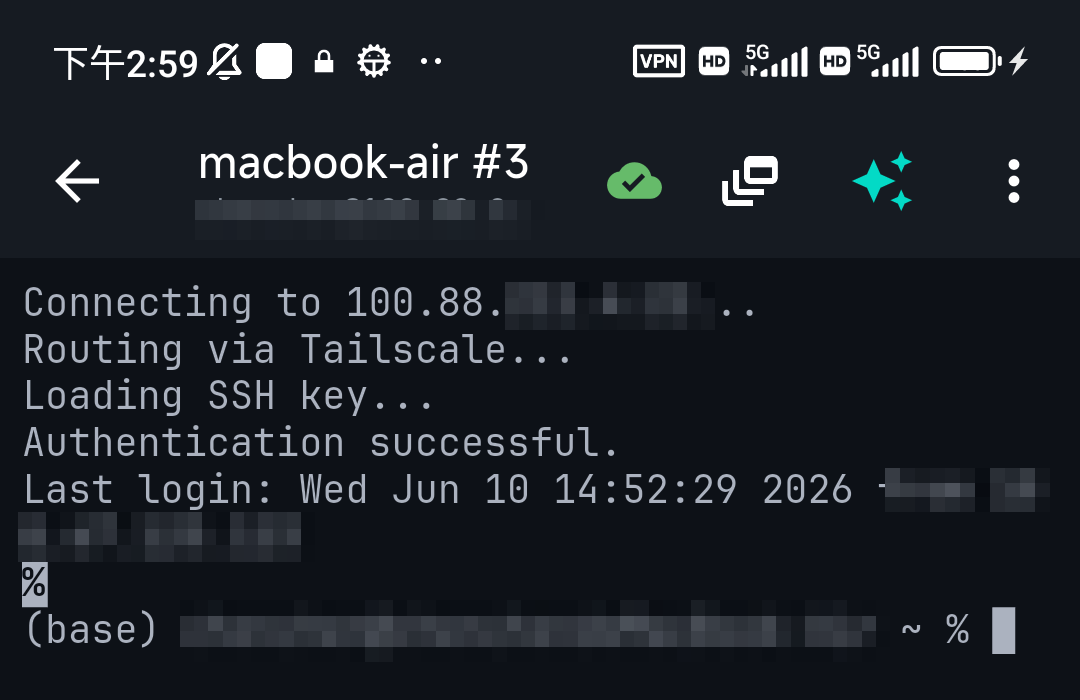
Two habits worth forming here. First, once this works, close port 22 to the internet — the whole point is that the public path is now redundant. On the server, sudo ufw allow in on tailscale0 to any port 22 and remove any blanket allow. Second, keep long jobs inside tmux; Tailscale survives a network change gracefully, but iOS and Android will still suspend a backgrounded app.
Step 3 (optional) — Turn on Tailscale SSH on the server
If you want Tailscale to handle SSH auth between your own devices, enable the feature on the server. On a machine that's already connected, use set — it won't tear down the existing session:
sudo tailscale set --ssh          # already running Tailscale
sudo tailscale up --ssh           # or enable it while bringing the node up
sudo tailscale set --ssh=false    # turn it back off
What that actually does: Tailscale claims port 22 on the tailnet IP only, and serves SSH from inside tailscaled instead of handing traffic to OpenSSH. Your /etc/ssh/sshd_config and ~/.ssh/authorized_keys are left untouched, and connections that don't arrive over Tailscale still hit your normal sshd. So it's reversible and it doesn't lock you out of the LAN path.
Who gets in: the ssh block in the tailnet policy file
Access is decided in the tailnet policy file, not on the box. Note that even though Tailscale now recommends grants for new network-access rules, SSH rules still live in their own ssh section — keep them in that format when you migrate the rest.
// tailnet policy file
{
  "ssh": [
    {
      // your own devices — the default rule, browser re-check every 12h
      "action":      "check",
      "checkPeriod": "12h",
      "src":         ["autogroup:member"],
      "dst":         ["autogroup:self"],
      "users":       ["autogroup:nonroot", "root"]
    },
    {
      // shared infrastructure — no re-check, straight in
      "action": "accept",
      "src":    ["autogroup:member"],
      "dst":    ["tag:prod"],
      "users":  ["root", "autogroup:nonroot"]
    }
  ]
}
Read that check carefully — it's the thing that surprises people on a phone. Tailscale's default policy uses check mode, which means the first connection in each checkPeriod sends you to a browser to re-verify your identity before the shell opens. On a laptop that's a blink. On a phone it's an app switch mid-connection, and in some SSH clients the prompt is easy to miss entirely. checkPeriod accepts anything from one minute to 168h (one week) and defaults to 12 hours — so for a homelab you either stretch it ("checkPeriod": "168h") or use "action": "accept" for hosts where identity alone is enough.
Two other useful knobs: users controls which local accounts you may become (autogroup:nonroot means "any account except root"), and tag: destinations let you write one rule for a whole class of machines instead of per host. Enterprise tailnets can also stream SSH session recordings to a recorder node or S3 for audit; availability depends on your plan, so check the pricing page before designing around it. As of the March 2026 update, Linux nodes also emit identity-enriched SSH logs, which makes "who ran what, as which user" answerable without a recorder.
What it's like from a mobile client
Better than you'd expect, and the detail most guides get wrong: you do not present an SSH key. Once your device is on the tailnet, the server already knows who the remote party is — the connection is authenticated and encrypted with your node's WireGuard key before SSH even starts — so Tailscale's SSH server asks for no further proof. Plain ssh user@100.x.y.z from any client just opens.
Practically, on a phone that means:
- Connect to the tailnet address on port 22 with the target username. Leave the key field empty if your client allows it; if the app insists on an auth method before it will save a connection, selecting an existing key is harmless — the Tailscale SSH server authenticates on node identity regardless.
- If the policy uses
check, expect a browser hand-off on the first connection of the period. Approve it, come back, and the shell is waiting. - The
tailscale sshCLI subcommand is only a convenience wrapper around this on desktop — there's no mobile CLI to miss, and you don't need one.
SSH from a phone browser: Tailscale SSH Console
There's a fourth path worth knowing about for emergencies: open the admin console's Machines page in your phone's browser, tap the menu at the right of a node, and choose SSH to machine. Your browser becomes a Tailscale client — a full userspace WireGuard stack and SSH client compiled to WebAssembly — and you get a terminal in the tab. Sessions are end-to-end encrypted; the browser's key lives in memory only for the length of the session, and Tailscale can't read the traffic.
The caveats matter, so don't make it your daily driver: it's beta, it requires an Owner, Admin, IT admin or Network admin role on the tailnet, the target must be a node with Tailscale SSH enabled, and a browser tab is a poor terminal on a 6-inch screen — no key shortcuts worth having, no persistent sessions, no SFTP. Think of it as the break-glass option when you're on a borrowed phone with nothing installed.
Doing it from a phone with less typing
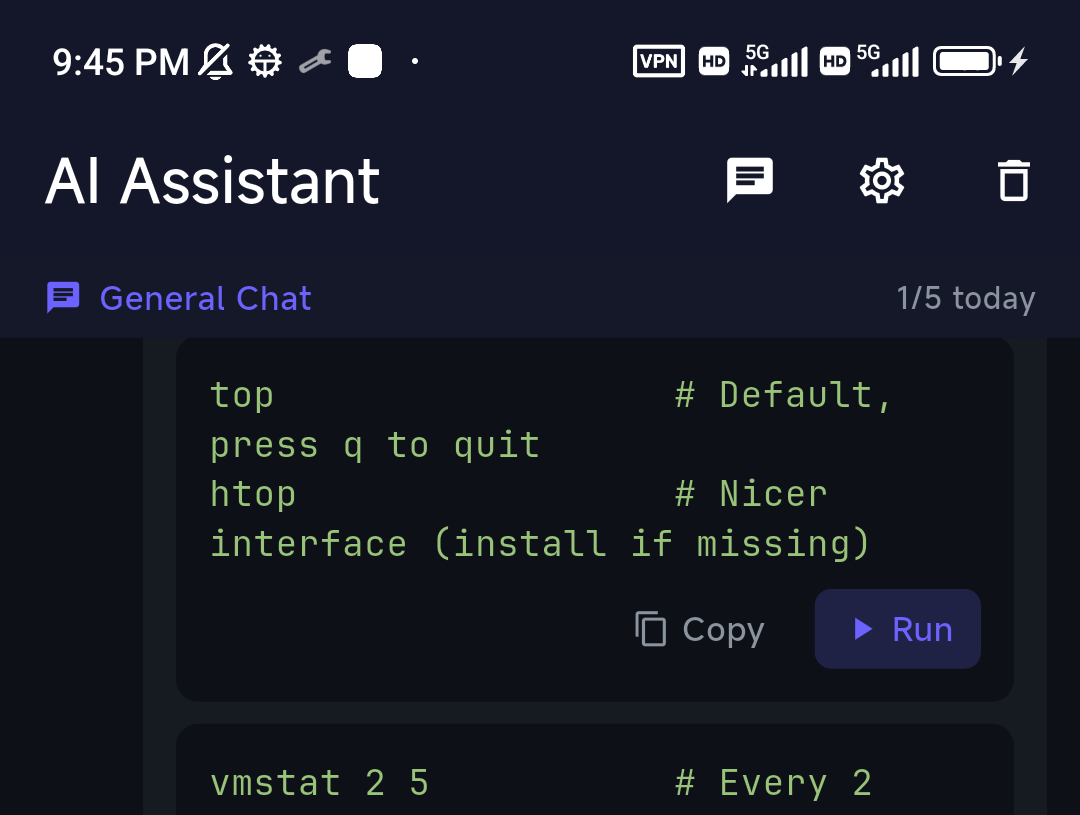
Setting tailscale up --ssh or editing ACLs is easy to fat-finger on a phone. Describe what you want to TermAI's assistant — "enable Tailscale SSH on this host" — and review the command before running it. It's grounded in the box you're connected to, so it gives the right command for that distro.
Tailscale SSH on Android, iPhone, iPad, and Windows
The idea is identical everywhere — join the tailnet, then SSH to a node's 100.x address — but the details differ per platform:
- Android — the official Tailscale app, or TermAI's built-in Tailscale so you don't run a second app. Watch out for aggressive battery optimisation on Samsung, Xiaomi and OnePlus builds: if the OS freezes the VPN app in the background, connections stall in a way that looks like a server problem. Exempt Tailscale (or your client) from battery optimisation and it stops.
- iPhone / iPad — same flow; iOS will ask once to allow a VPN configuration. Only one VPN profile can be active at a time on iOS, so a corporate VPN and Tailscale can't both be on — which is exactly why an SSH client with Tailscale embedded is useful: the tunnel belongs to the app, not the whole device. See iPhone and iPad.
- Windows as the client — works fine: install Tailscale, then use PowerShell's built-in
ssh, or PuTTY with the100.xaddress. Windows as the target of Tailscale SSH is not supported; run OpenSSH Server on it and use SSH over Tailscale instead. - Raspberry Pi, Proxmox, Home Assistant, NAS — a Pi runs the standard Linux client and supports Tailscale SSH fully; see SSH to a Pi from your phone, Proxmox from mobile and Home Assistant over SSH. Synology and QNAP can run Tailscale as a package but cannot run Tailscale SSH — use SSH over Tailscale to their normal
sshd. - Setup in short — join the tailnet on both the phone and the server, confirm both show Connected in the admin console, then SSH to the server's
100.xaddress. No port forwarding, no public exposure.
When Tailscale SSH isn't working
Almost every failure is one of six things, and the error text tells you which:
| Symptom | Most likely cause | Fix |
|---|---|---|
| Connection times out | One side isn't actually on the tailnet, or the node key expired | tailscale status on both ends; re-authenticate the machine in the admin console. See timed out |
| Could not resolve hostname | MagicDNS not reaching a third-party mobile app | Use the raw 100.x address |
| Connection refused | You reached the box but nothing is listening — Tailscale SSH off and sshd not installed/running | sudo systemctl status ssh, or enable --ssh. See refused |
| Permission denied (tailscale) | Your policy file has no ssh rule covering this src/dst/user combination | Add a rule; check the users list actually includes the account you're logging in as |
| Login hangs, then fails | check mode is waiting on a browser you never opened | Open the printed URL, or switch that rule to accept / a longer checkPeriod |
It asks for a key even though --ssh is on | You're connecting over the LAN or public IP, so OpenSSH answered, not Tailscale | Connect to the 100.x address — the takeover only applies to the tailnet IP |
Also worth knowing: a host-key change when you switch from a public address to a tailnet address is expected the first time, not an attack — see host key verification failed. And if a firewall on the box restricts port 22 to the tailnet interface, make sure the rule allows tailscale0, or Tailscale SSH gets blocked by your own ufw.
Tailscale vs the other ways to reach SSH from outside
| Approach | Exposes anything publicly? | Works behind CGNAT | Effort |
|---|---|---|---|
| Tailscale | No | Yes | Install + sign in on both ends |
| Router port forwarding | Yes — port 22 to the world | No (no public IP to forward) | Router config + hardening + dynamic DNS |
| Plain WireGuard | One UDP port | Only with a relay you run | Manual keys, IPs and NAT traversal — see the comparison |
| Cloudflare Tunnel | No inbound ports | Yes | Daemon + Access policy; SSH usually via browser rendering |
| Self-hosted Headscale | Your control server | Yes | Highest — you operate the coordination server |
For a phone-to-homelab setup, Tailscale wins on effort per unit of safety: nothing inbound, nothing to harden, and it keeps working when your ISP puts you behind CGNAT. Broader options in reaching a home server from anywhere.
Is Tailscale free for this?
For personal use, yes. Tailscale reworked its plans in April 2026: the free Personal plan now covers up to 6 users with unlimited user-owned devices (previously 3 users and 100 devices), plus up to 50 tagged resources and a monthly pool of ephemeral resource-minutes, for non-commercial use. A homelab, a VPS or two and a couple of phones sit comfortably inside that. Paid tiers add team and compliance features. Plan terms change — check tailscale.com/pricing for what's current before you count on a specific limit.
FAQ
Can I use Tailscale SSH from a phone?
Yes. You don't run Tailscale's CLI on mobile — you don't need to. Put the phone on the tailnet (the Tailscale app, or a client with it built in like TermAI) and SSH to the server's 100.x address. If Tailscale SSH is enabled on that server, no key is required at all.
What's the difference between Tailscale SSH and SSH over Tailscale?
SSH over Tailscale means reaching a server's private tailnet address and logging in with your normal SSH key — your sshd does the authenticating. Tailscale SSH (--ssh) means Tailscale's daemon answers on port 22 of the tailnet address and authenticates you by your Tailscale identity and the tailnet policy file, so there are no keys to manage.
Do I need to open port 22 to use SSH with Tailscale?
No — that's the point. The server is reachable on its private tailnet address, so you can keep port 22 closed to the public internet entirely. Once the tailnet path works, remove the port forward.
Does Tailscale SSH replace my existing SSH server?
No. It only claims port 22 on the tailnet IP. sshd_config and authorized_keys are untouched, and connections arriving on your LAN or public address still go to OpenSSH as before. Turning it off is sudo tailscale set --ssh=false.
Which servers can run Tailscale SSH?
Linux, and macOS only with the open-source tailscale/tailscaled CLI build. It is not supported as a server on Windows, Synology or QNAP — on those, use SSH over Tailscale to their normal SSH server instead.
Why does it open a browser when I try to log in?
Your tailnet policy is using "action": "check", the default for connecting to your own devices, which re-verifies your identity once per checkPeriod (12 hours by default, up to 168h). Lengthen the period or switch that rule to "action": "accept" if you don't want the prompt on a phone.
Can I still use my SSH key with Tailscale SSH?
You can present one, but it isn't checked — the connection is already authenticated by your device's Tailscale identity before SSH begins. Keep your key for hosts you reach the ordinary way.
MagicDNS names don't resolve in my SSH app. Is something broken?
No, it's a known rough edge for third-party apps on iOS and Android. Use the 100.x.y.z address, or define Host aliases in your SSH config pointing at it.
Can I SSH from a browser on my phone?
Yes — Tailscale SSH Console gives you a shell in a browser tab from the admin console's Machines page. It's in beta and requires an admin role on the tailnet, so treat it as a fallback rather than your daily terminal.
Is Tailscale SSH still in beta?
Tailscale SSH itself is generally available. The SSH Console (the browser-based session) is the part that's still in beta.
Quick Facts
- SSH over Tailscale: reach the private
100.xaddress with your key — no port forwarding (the mobile default) - Tailscale SSH (
tailscale up --ssh/tailscale set --ssh): Tailscale authenticates by identity, no keys to distribute — Linux and CLI-build macOS only - Default policy is
check: first login per 12h opens a browser; useacceptor a longercheckPeriodon mobile - Phone setup: join the tailnet (Tailscale app or TermAI's built-in), then SSH to the
100.xaddress — use the IP, not MagicDNS, in third-party apps - Browser fallback: Tailscale SSH Console (beta, admin role required)
- Security win: keep port 22 closed to the public internet
Free on iOS and Android. 5 AI requests/day on the free tier, plus unlimited SSH/SFTP and built-in Tailscale.