Ed25519 vs RSA: the short answer
Use Ed25519 for your SSH keys. It's modern, fast, and secure at a tiny size, and it's the recommended default on every current system — OpenSSH's own ssh-keygen has generated Ed25519 keys by default since version 9.5 (October 2023). Reach for RSA (at 3072 or 4096 bits) only when you have to talk to an old server or device that doesn't support Ed25519 yet. Both are secure when used correctly; Ed25519 is simply the better default in 2026.
Searching for RSA vs Ed25519 the other way round doesn't change the answer — it's the same comparison, and Ed25519 still wins for new keys. If what you actually landed on was the strings ssh-rsa and ssh-ed25519 in a config file or an error message, that's a related but different question, and it has its own section below: ssh-rsa vs ssh-ed25519.
Side by side
| Ed25519 | RSA | |
|---|---|---|
| Type | Elliptic curve (EdDSA, Curve25519) | Integer factorization |
| Recommended size | Fixed (256-bit curve) | 3072 or 4096 bits |
| Security level | ~128-bit | ~112-bit at 2048, ~128-bit at 3072 (NIST SP 800-57) |
| Public key line | ~68 characters | ~370 characters at 2048, ~700 at 4096 |
| Signature size | 64 bytes | 384 bytes at 3072, 512 bytes at 4096 |
| Key generation | Instant | Slow at 4096 (it searches for primes) |
| Signing speed | Very fast | Slow, especially at 4096 |
| Verifying speed | Fast | Very fast (small public exponent) |
| Algorithm name in a key file | ssh-ed25519 | ssh-rsa |
| Default filename | ~/.ssh/id_ed25519 | ~/.ssh/id_rsa |
| Size choice to get wrong | None — one size | Yes — 1024 is broken, 2048 is borderline |
| In OpenSSH since | 6.5 (January 2014) | Always |
| Compatibility | All modern systems | Universal, incl. very old |
| Recommendation | ✅ Default choice | Fallback for legacy |
Why Ed25519 is the default
- Strong at a small size. A 256-bit Ed25519 key gives security comparable to a 3072-bit RSA key, with a fraction of the size. The whole public key fits on one short line, which matters when you're pasting it into
authorized_keysover a phone screen or a serial console. - Fast. Signing and verifying are quick, which is noticeable on lower-powered devices.
- Hard to misconfigure. There's effectively one right way to make one. RSA has a size choice (and a 1024-bit RSA key is now too weak), which is one more way to get it wrong.
- No fragile randomness. Ed25519 derives each signature's nonce deterministically, so it can't be broken by a weak random-number generator — the exact flaw that has leaked ECDSA and DSA private keys in the wild (Sony's PlayStation 3, some Bitcoin wallets). RSA and Ed25519 both sidestep this; ECDSA and DSA don't.
- Modern default. OpenSSH and every current OS support and recommend it, and
ssh-keygenwith no arguments produces one.
Is Ed25519 actually faster than RSA?
Yes, but not uniformly, and this is the nuance most comparisons flatten. Ed25519 is fast at both signing and verifying. RSA is slow to sign and very fast to verify, because RSA verification uses a tiny public exponent (65537) while signing uses the full private key. So the honest summary is: Ed25519 wins clearly on key generation and signing, and RSA verification is not its weak point.
For one interactive SSH login on a modern laptop, none of this is perceptible. It becomes real when the device is slow (a router, an embedded box, an older phone) or when the volume is high (a CI job opening thousands of connections, or a git host authenticating a lot of pushes). Key generation is the one place you'll notice with your own eyes: ssh-keygen -t ed25519 returns immediately, while ssh-keygen -t rsa -b 4096 pauses while it hunts for large primes — and takes a different amount of time on every run, because prime-hunting is a search.
When to still use RSA
RSA's one advantage is universal compatibility. If you manage an old appliance, a legacy network device, a BMC/IPMI management port, or a server stuck on an ancient OpenSSH, it may not accept Ed25519 — and then RSA is the answer. If you do use RSA, use 4096 bits (or at least 3072); never generate a 1024-bit RSA key today.
There's a second, less-discussed reason: compliance. NIST added EdDSA to FIPS 186-5, so Ed25519 is no longer outside the standards, but FIPS-validated crypto modules and audit tooling lag behind the standard, and some regulated environments still effectively require RSA or ECDSA. If you're in one, check your own policy rather than assuming — this is a paperwork constraint, not a cryptographic one.
One more thing to know: modern OpenSSH disabled the old RSA-with-SHA-1 signatures, so current RSA keys sign with SHA-2 (rsa-sha2-256/512) automatically — an up-to-date client and server just work, but a very old server that only speaks SHA-1 is exactly the "legacy" case where you might hit trouble. That's the subject of the next section. ECDSA is a third option, but most people pick Ed25519 over it for SSH.
ssh-rsa vs ssh-ed25519: what those strings actually mean
If you're comparing ssh-rsa and ssh-ed25519 rather than "RSA" and "Ed25519", you're probably looking at one of these:
- the first token of a public key line in
~/.ssh/id_rsa.pub,authorized_keys, orknown_hosts; - a value in
HostKeyAlgorithmsorPubkeyAcceptedAlgorithmsin an SSH config; - an error message like
no matching host key type found. Their offer: ssh-rsa.
These are algorithm identifiers — the names SSH uses on the wire. And there's a trap in them that trips up a lot of people.
The trap: ssh-rsa means two different things
ssh-ed25519 is unambiguous. It is both the key type and the signature algorithm; there is one of each, and the name means the same thing everywhere it appears.
ssh-rsa is overloaded. As a key type it just means "this is an RSA key" — that's the string at the front of every RSA public key file, regardless of bit size, and it is completely fine. As a signature algorithm it means something much more specific: RSA signing with the SHA-1 hash. SHA-1 is cryptographically broken (chosen-prefix collisions are practical), so OpenSSH 8.8 (September 2021) disabled the ssh-rsa signature algorithm by default.
The consequence people miss: "ssh-rsa is deprecated" does not mean "RSA keys are deprecated." Your existing id_rsa still starts with the letters ssh-rsa and still works — OpenSSH has supported RSA with SHA-2 (RFC 8332, the rsa-sha2-256 and rsa-sha2-512 algorithms) since release 7.2, and modern clients and servers negotiate those automatically. You do not need to regenerate an RSA key because of the 8.8 change. You need the other side to be new enough to speak SHA-2.
| String | What it is | Status in 2026 |
|---|---|---|
ssh-ed25519 | Key type and signature algorithm | ✅ Recommended default |
ssh-rsa (as a key type) | Any RSA public key | ✅ Fine — use 3072/4096 bits |
ssh-rsa (as a signature algorithm) | RSA + SHA-1 | ❌ Off by default since OpenSSH 8.8 |
rsa-sha2-256 / rsa-sha2-512 | RSA + SHA-2, same key | ✅ What modern RSA actually uses |
ssh-dss | DSA key type | ❌ Removed entirely in OpenSSH 10.0 |
ecdsa-sha2-nistp256 | ECDSA key type | Works, but Ed25519 is the better pick |
ssh-ed25519-sk / ecdsa-sk | FIDO2 hardware-backed keys | ✅ Supported since OpenSSH 8.2 |
Fixing "no matching host key type: ssh-rsa"
This error means the server's own host key is RSA and the server is too old to sign with SHA-2, so your modern client refuses the only algorithm it offers. Note which knob applies — they're easy to confuse:
HostkeyAlgorithms— about the server's host key (the "no matching host key type" error).PubkeyAcceptedAlgorithms— about your key when you authenticate (a "Permission denied (publickey)" that appears only against old servers).
The stopgap is to re-enable SHA-1 for that one host — scoped to a Host block in ~/.ssh/config, never globally:
Host legacy-box
    HostName 192.168.1.50
    HostkeyAlgorithms +ssh-rsa
    PubkeyAcceptedAlgorithms +ssh-rsa
OpenSSH's own release notes are blunt that this is a stopgap until the far end can be upgraded or moved to another key type. The real fix, when you control the server, is to give it an Ed25519 host key and use Ed25519 for auth. We cover the full diagnosis in SSH "no matching host key type" — how to fix it.
Seeing which algorithms are actually in play
# Which key types does your SSH build support?
ssh -Q key

# Which signature algorithms can be used for authentication?
ssh -Q PubkeyAcceptedAlgorithms

# What a specific server offers, and what got negotiated:
ssh -vv user@host 2>&1 | grep -i "host key algorithm"
Ed25519 vs RSA compatibility in 2026
The "RSA is more compatible" argument is now much weaker than it was, but it isn't zero. Where things stand:
| Platform | Ed25519 | Note |
|---|---|---|
| OpenSSH | ✅ Since 6.5 (Jan 2014) | Default ssh-keygen type since 9.5 (Oct 2023) |
| macOS / Linux / BSD | ✅ | Ships with a modern OpenSSH |
| Windows (built-in OpenSSH) | ✅ | Works with ssh-keygen in PowerShell |
| PuTTY / PuTTYgen | ✅ Since 0.68 (Feb 2017) | Pick "EdDSA / Ed25519" when generating |
| GitHub | ✅ | Ed25519 accepted for account SSH keys |
| GitLab | ✅ Since GitLab 12.10 | Self-managed installs older than that may not |
| AWS EC2 | ✅ | Ed25519 key pairs in console/CLI/import; EC2 Instance Connect since Jan 2022 |
| Azure VMs | ⚠️ Check | Microsoft's docs specify RSA (2048-bit minimum) for VM provisioning; verify before relying on Ed25519 in that path |
| iOS / Android SSH clients | ✅ | Any current client, incl. TermAI |
| Routers, switches, BMC/IPMI, old appliances | ❌ Often not | The main real-world reason to keep an RSA key |
| Old Java clients (legacy JSch) | ❌ Often not | Common in older CI and enterprise tooling |
Practical rule: generate Ed25519, and keep one RSA 4096 key around only for the specific boxes that need it. There's no harm in having both — see the FAQ on using two keys at once.
Generating the right key
On a desktop, Ed25519 is one command:
ssh-keygen -t ed25519 -C "your label"

# only if a server can't do Ed25519:
ssh-keygen -t rsa -b 4096 -C "your label"
On OpenSSH 9.5 and newer, a bare ssh-keygen with no flags already gives you Ed25519 — the -t ed25519 is there for clarity and for older builds. Note that -b is meaningless for Ed25519: the curve is fixed at 256 bits, and there is no "Ed25519 4096" to ask for.
For a hardware-backed key, generate ssh-keygen -t ed25519-sk: the private key is tied to a physical FIDO2 security key and can't be copied off it. It's overkill for everyday use but excellent for high-value servers.
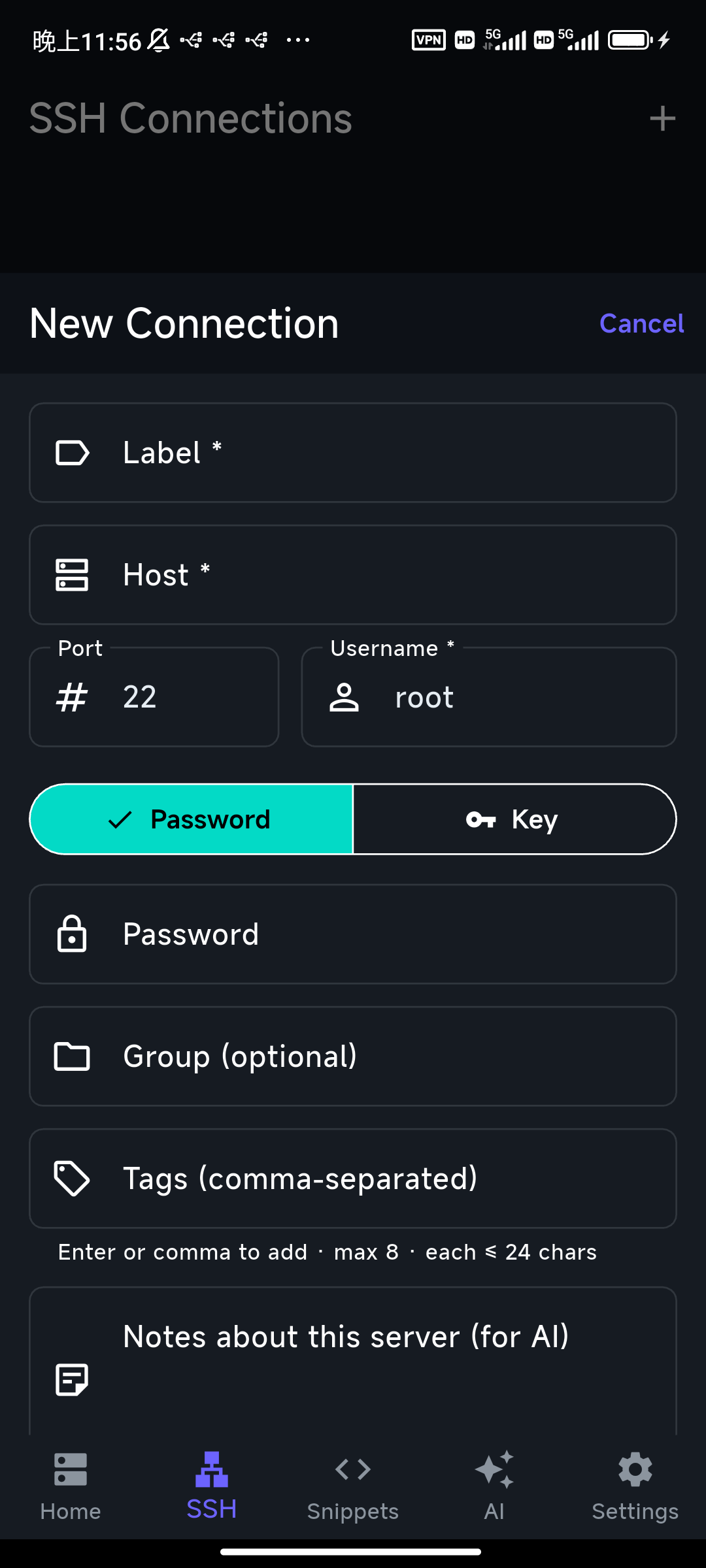
On a phone you don't need the command at all — a good client generates the key for you. TermAI creates an Ed25519 key by default, stores the private half in the device keychain, and can deploy the public key to a server in one tap. See how to create SSH keys on iPhone.
How to tell which key type you already have
Look at the first token of your public key, or list its fingerprint:
# The public key names its type up front:
cat ~/.ssh/id_ed25519.pub   # starts with "ssh-ed25519"
cat ~/.ssh/id_rsa.pub       # starts with "ssh-rsa"

# Or show the type and bit size of any key:
ssh-keygen -l -f ~/.ssh/id_ed25519.pub

# Check every key you have at once:
for k in ~/.ssh/*.pub; do ssh-keygen -l -f "$k"; done
The fingerprint line ends with the type in parentheses — (ED25519) or (RSA) — and, for RSA, the bit size. If you find an old ssh-rsa key at 1024 or 2048 bits, that's a good reason to generate a fresh Ed25519 one and set it up for passwordless login. Remember that an ssh-rsa prefix on its own is not a problem — only a small bit size is.
What about ECDSA and DSA?
Two other key types show up in older guides:
- ECDSA — also elliptic-curve and fast, but it leans on NIST curves that some people distrust and on a good random number at signing time. It works, but Ed25519 is the cleaner modern choice, so there's little reason to pick ECDSA for a new key. The main exception is a FIPS environment where Ed25519 isn't yet available to you.
- DSA (
ssh-dss) — gone. It was capped at 1024 bits, disabled by default back in 2015, and removed outright in OpenSSH 10.0 (April 2025). A DSA key will simply not authenticate against current OpenSSH. Replace any you still have.
In short: Ed25519 first, RSA 4096 as the legacy fallback, and skip ECDSA and DSA for new keys.
Is Ed25519 or RSA quantum-safe?
Neither is, and this is worth stating plainly because it's a common misconception that picking the "modern" algorithm buys you quantum resistance. It doesn't. A sufficiently large quantum computer running Shor's algorithm breaks both integer factorization (RSA) and elliptic-curve discrete logs (Ed25519, ECDSA). Going from RSA 2048 to RSA 4096 does not help either — it's the same problem, slightly larger.
What actually changed is the key exchange, not the key type. Current OpenSSH negotiates a post-quantum hybrid key exchange by default, which protects the confidentiality of your session against "harvest now, decrypt later" — an attacker recording traffic today to decrypt once quantum hardware exists. That protection is independent of whether your key is Ed25519 or RSA, and you get it for free by keeping OpenSSH up to date on both ends.
Authentication is the piece that still uses classical signatures. Practically, that matters less: forging a signature requires the quantum computer to exist at the moment you connect, not years later against a recording. So the sensible 2026 posture is: use Ed25519, keep OpenSSH current so you get hybrid key exchange, and expect post-quantum signature algorithms to arrive as a later, separate migration.
The thing that matters more than key type
Whichever type you choose, the bigger risk usually isn't the algorithm — it's an unprotected private key. Two habits matter more than Ed25519-vs-RSA:
- Protect the private key. On a computer, add a passphrase (
ssh-keygenprompts for one) so a stolen key file is useless by itself. On a phone, a good client keeps the key in the hardware keystore instead of a plain file — TermAI stores the private key in the iOS Keychain / Android Keystore, encrypted by the device. - Prefer keys over passwords entirely. Key auth isn't just more convenient; it removes the password as an attack surface. See SSH keys vs passwords for why it's the safer default.
A useful sanity check: an attacker who copies your key file is a far more likely threat than one who breaks Curve25519 or factors a 3072-bit modulus. Spend your attention accordingly.
Should you replace an existing RSA key?
If your RSA key is 3072-bit or larger and working, there's no urgency — it's still secure, and the OpenSSH 8.8 SHA-1 change does not obsolete it. Switch when convenient: create an Ed25519 key, add its public half to each server's authorized_keys alongside the old one, confirm the new key works, then remove the RSA entry. Doing it in that order means you can never lock yourself out. If your existing key is 1024-bit RSA, treat that as urgent and replace it now; 2048-bit is worth scheduling.
# 1. New key alongside the old one
ssh-keygen -t ed25519 -C "laptop 2026"

# 2. Install it (the old key still works, so this still authenticates)
ssh-copy-id -i ~/.ssh/id_ed25519.pub user@host

# 3. Verify the new key on its own before removing anything
ssh -i ~/.ssh/id_ed25519 -o IdentitiesOnly=yes user@host

# 4. Only then: remove the old ssh-rsa line from the server's authorized_keys
On mobile, TermAI can generate the Ed25519 key and push the public key to a connected server for you, so the swap is a couple of taps rather than manual copying. See ssh-copy-id explained for the desktop details.
FAQ
RSA vs Ed25519 — which is better?
Ed25519 is the better default in 2026: it's modern, faster to generate and verify, and secure at a fraction of RSA's key size. Pick RSA (3072- or 4096-bit) only when you must connect to an older system that doesn't support Ed25519 yet. Both are safe at recommended sizes — Ed25519 is simply the better everyday choice.
Is Ed25519 more secure than RSA?
At recommended sizes both are secure. Ed25519 gives strong security at a much smaller size and is the modern default; RSA needs 3072–4096 bits to match it.
Should I use Ed25519 or RSA 4096?
Ed25519, unless a specific old server can't accept it — then RSA 4096.
Is RSA 2048 still safe?
It's borderline; prefer 3072 or 4096 for new RSA keys. Better yet, use Ed25519. Never use 1024-bit RSA.
What key does TermAI create?
Ed25519 by default, stored on the device, with one-tap deploy of the public key to your server.
What's the difference between ssh-rsa and ssh-ed25519?
They're the algorithm identifiers that appear at the start of a public key line and in SSH config options. ssh-ed25519 names both the key type and its signature algorithm. ssh-rsa is ambiguous: as a key type it means any RSA key (fine), but as a signature algorithm it specifically means RSA with SHA-1, which OpenSSH disabled by default in 8.8. Modern RSA keys sign with rsa-sha2-256 or rsa-sha2-512 instead.
Is ssh-rsa deprecated? Do I need to regenerate my RSA key?
The ssh-rsa signature algorithm (RSA+SHA-1) is deprecated; RSA keys are not. If your key is 3072 bits or more it keeps working unchanged, because OpenSSH negotiates SHA-2 signatures with the same key. Regenerate only if the key is 1024 or 2048 bits — and if you're regenerating anyway, make the new one Ed25519.
Why do I get "no matching host key type found. Their offer: ssh-rsa"?
The server's host key is RSA and the server is too old to sign with SHA-2, so your modern client rejects the only option offered. As a scoped stopgap, add HostkeyAlgorithms +ssh-rsa to that host's block in ~/.ssh/config; the real fix is upgrading the server or giving it an Ed25519 host key.
Is Ed25519 faster than RSA?
At key generation and signing, clearly yes. At verification RSA is actually very fast, because it uses a small public exponent. You'll only notice the difference on slow hardware or at high connection volume — not on a single desktop login.
Can I have both an Ed25519 and an RSA key?
Yes, and it's the normal setup when you still manage legacy gear. Keep Ed25519 as your default and point the RSA key at the hosts that need it with IdentityFile ~/.ssh/id_rsa plus IdentitiesOnly yes in that host's config block, so the client doesn't offer keys in the wrong order.
Is there an Ed25519 equivalent of RSA 4096 — a bigger version?
No. Ed25519's curve is fixed at 256 bits, so -b does nothing. If you need a larger EdDSA curve the answer is Ed448, which OpenSSH does not support for SSH keys. In practice Ed25519's ~128-bit security level is the right target, and it already matches RSA 3072.
Is Ed25519 quantum-safe?
No, and neither is RSA — a large quantum computer breaks both, and a bigger RSA key doesn't help. What protects you today is post-quantum hybrid key exchange, which current OpenSSH uses by default regardless of your key type. Keep OpenSSH updated on both ends.
Does GitHub support Ed25519 SSH keys?
Yes. GitHub accepts ssh-ed25519 account keys, as do GitLab (since 12.10) and AWS EC2. The notable holdout is Azure, whose docs still specify RSA for VM provisioning — verify before you depend on it.
Quick Facts
- Default: Ed25519 — modern, fast, secure at a small size
- Fallback: RSA 4096 (or 3072) for legacy systems only; never 1024-bit
- Command:
ssh-keygen -t ed25519(the default with no flags since OpenSSH 9.5) ssh-rsathe key type: fine.ssh-rsathe signature algorithm: SHA-1, off by default since OpenSSH 8.8- DSA: removed entirely in OpenSSH 10.0 (April 2025)
- On a phone: clients like TermAI generate Ed25519 for you, keys stay on-device
Free on iOS and Android. 5 AI requests/day on the free tier, plus unlimited SSH/SFTP and built-in Tailscale.