讓 SSH 別每次都問通關密語
如果 SSH 每次連線都彈 Enter passphrase for key,你不必刪掉通關密語(那會讓私鑰失去保護)。而是把金鑰載入 ssh-agent 一次,它就在你這個工作階段剩下的時間裡快取解鎖後的金鑰:
ssh-add ~/.ssh/id_ed25519你輸一次通關密語;之後每次連線都靜默。本文講 Linux/macOS/Windows 上的 ssh-agent、怎麼自動化、以及行動端等價物。
有通關密語 vs 無通關密語
通關密語把磁碟上的私鑰加密,所以筆電被偷也不會連帶交出你的伺服器。這層保護值得留著。煩人之處——反覆輸——由 agent 解決,而不是刪掉通關密語。所以:留著通關密語,用 agent。
用 ssh-agent(Linux/macOS)
# agent 沒跑就啟動:
eval "$(ssh-agent -s)"

# 載入你的金鑰(輸一次通關密語):
ssh-add ~/.ssh/id_ed25519

# 列出已載入的金鑰:
ssh-add -l
在 macOS 上,把通關密語存進 Keychain,重啟後也自動載入:
ssh-add --apple-use-keychain ~/.ssh/id_ed25519並加進 ~/.ssh/config,讓金鑰首次使用時自動載入、無需多想:
Host *
    AddKeysToAgent yes
    UseKeychain yes
在 Windows 上
啟用內建的 OpenSSH agent 服務一次,然後加金鑰:
Get-Service ssh-agent | Set-Service -StartupType Automatic
Start-Service ssh-agent
ssh-add $env:USERPROFILE\.ssh\id_ed25519
Windows agent 跨重啟保留,所以你加一次金鑰就忘掉它。
更改或刪除通關密語
如果你確實想改(或給一把沒通關密語的金鑰設一個):
ssh-keygen -p -f ~/.ssh/id_ed25519它問舊通關密語、再問新通關密語(留空=刪除)。徹底刪掉很方便,但意味著任何複製走檔案的人就擁有了你的存取權——優先用 agent。
在手機上
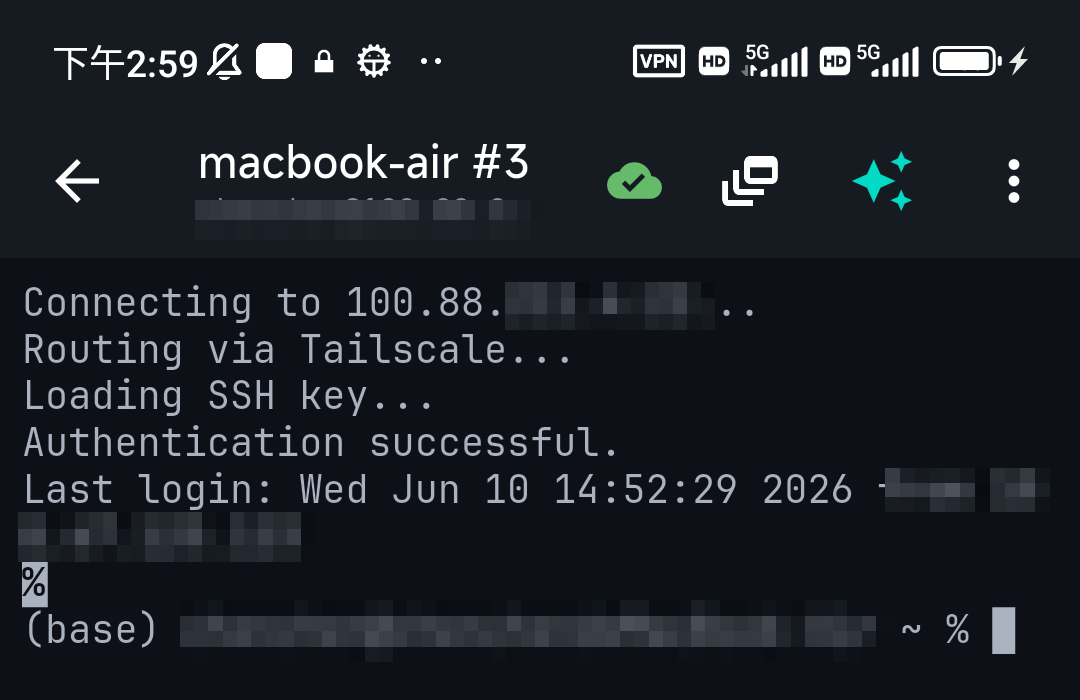
行動用戶端不暴露 ssh-agent——它們在內部處理等價物。在 TermAI 裡金鑰存在裝置 Keychain,由手機自身的生物辨識/密碼解鎖,所以你不用每次連線重輸通關密語;裝置的安全機制就是 agent。你同時得到加密金鑰的安全和一點即連。
常見問題
怎麼讓 SSH 別每次都問通關密語?
用 ssh-add ~/.ssh/id_ed25519 把金鑰載入 ssh-agent 一次;它在你的工作階段裡快取解鎖後的金鑰。在 ~/.ssh/config 加 AddKeysToAgent yes 讓它自動。
是不是該直接刪掉通關密語?
最好別——通關密語把磁碟上的私鑰加密。用 ssh-agent 換便利、保住保護。
怎麼讓通關密語重啟後仍然記住?
macOS 用 ssh-add --apple-use-keychain 和 UseKeychain yes;Windows 把 ssh-agent 服務設為自動啟動。金鑰就會自己載入。
怎麼改金鑰的通關密語?
跑 ssh-keygen -p -f ~/.ssh/id_ed25519;它改通關密語而不改金鑰本身。
快速事實
- 別刪通關密語——它把磁碟上的金鑰加密;改用 agent
- 快取:
ssh-add ~/.ssh/id_ed25519(每工作階段輸一次通關密語) - 自動:
~/.ssh/config裡AddKeysToAgent yes;macOS Keychain / Windows agent 持久化 - 更改:
ssh-keygen -p -f ~/.ssh/key - 行動端:裝置 Keychain + 生物辨識就是 agent