如何指定用某把 SSH 金鑰
要強制 SSH 用某一把特定私鑰,用 -i 指向它:
ssh -i ~/.ssh/work_key user@host要永久、按主機生效——並阻止 SSH 先去試你其它金鑰——用 ~/.ssh/config 配 IdentityFile + IdentitiesOnly。Git 的話,最乾淨的是按主機設定或 GIT_SSH_COMMAND。逐個來。
一次性:-i 參數
ssh -i ~/.ssh/work_key user@host適合快速測試。但單用 -i 只是把那把金鑰加進要試的清單——如果你裝了好幾把,它可能仍先遞別的、撞上 too many authentication failures。要只遞這一把,加 -o IdentitiesOnly=yes:
ssh -i ~/.ssh/work_key -o IdentitiesOnly=yes user@host永久:~/.ssh/config 按主機
「這臺伺服器永遠用這把金鑰」的正確做法——配一次就忘:
Host work
    HostName 203.0.113.7
    User deploy
    IdentityFile ~/.ssh/work_key
    IdentitiesOnly yes
現在 ssh work 正好用那把、不遞別的。IdentitiesOnly yes 是關鍵那行——沒它,客戶端仍會先把你其它金鑰在伺服器面前排隊。(更多見 SSH 設定檔指南。)
給 Git 指定金鑰
兩個乾淨選項。按主機設定——給你的 Git 主機一個帶自己金鑰的別名:
Host github.com
    HostName github.com
    User git
    IdentityFile ~/.ssh/github_key
    IdentitiesOnly yes
或者,對單條命令,覆寫 Git 用的 SSH 命令:
GIT_SSH_COMMAND="ssh -i ~/.ssh/github_key -o IdentitiesOnly=yes" git clone git@github.com:user/repo.git多個 Git 帳號時設定法更好:給每個一個自己的 Host 別名(如 github-work),用別名 clone。
在手機上
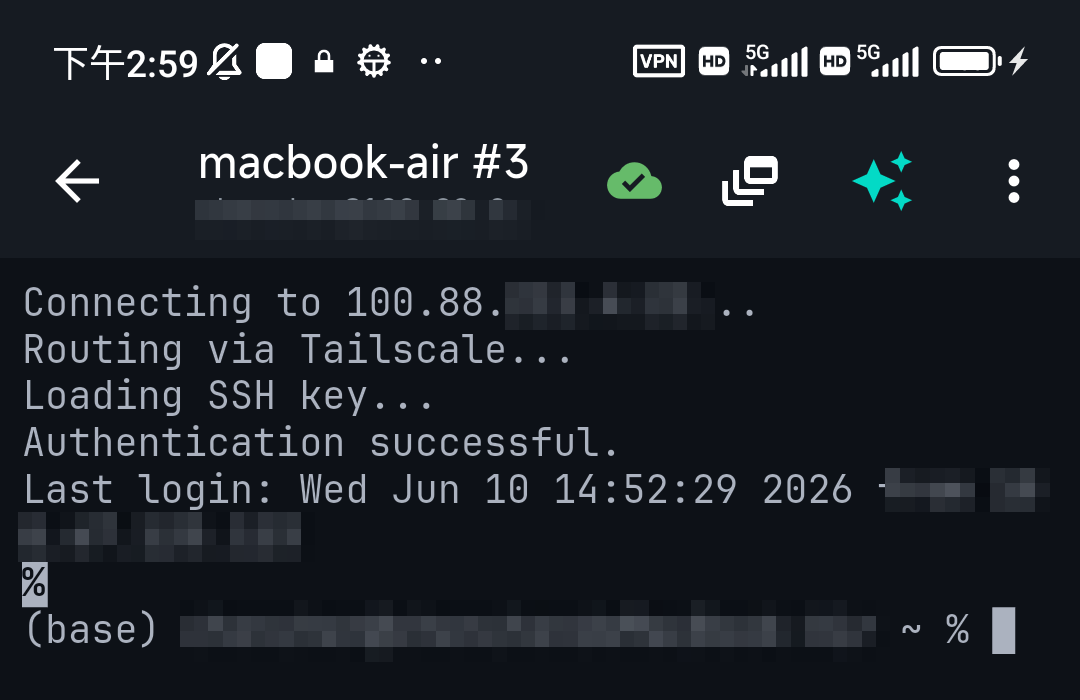
行動裝置客戶端不用 ~/.ssh/config——它們按連線固定金鑰。在 TermAI 裡,每條儲存的連線有自己的認證設定,所以「這臺伺服器用這把特定金鑰」就是在那條連線上選中那把金鑰;它就只遞這一把。IdentitiesOnly 的等價物是自動的,你永遠不會撞上金鑰太多的錯。
常見問題
怎麼讓 SSH 用某把特定金鑰?
單條命令用 ssh -i ~/.ssh/key user@host,或在 ~/.ssh/config 的 Host 區塊裡設 IdentityFile 永久按主機生效。加 IdentitiesOnly yes 讓它只遞那把。
IdentitiesOnly 是幹什麼的?
它阻止客戶端把你 agent 和 ~/.ssh 裡的每把金鑰也遞出去。沒它,-i 只是把你的金鑰加進清單,可能觸發 "too many authentication failures"。
怎麼給 Git 指定某把 SSH 金鑰?
給主機一個帶自己 IdentityFile 的 ~/.ssh/config 區塊,或對單條命令設 GIT_SSH_COMMAND="ssh -i ~/.ssh/key -o IdentitiesOnly=yes"。
能給不同 GitHub 帳號用不同金鑰嗎?
能——在 ~/.ssh/config 裡給每個帳號建一個 Host 別名、各帶自己金鑰,用別名 clone。
快速事實
- 一次性:
ssh -i ~/.ssh/key -o IdentitiesOnly=yes user@host - 永久:
~/.ssh/config按Host配IdentityFile+IdentitiesOnly yes - Git:按主機設定,或單條命令
GIT_SSH_COMMAND - 為何要 IdentitiesOnly:單用
-i仍會遞別的金鑰 → too-many-auth - 行動端:按連線選金鑰(IdentitiesOnly 自動)