What is an SSH tunnel?
An SSH tunnel (also called SSH port forwarding) sends the traffic of some other service through your encrypted SSH connection. It lets you reach a service that isn't directly accessible — a database bound to a server's localhost, a web UI behind a firewall, or your home network from the road — by routing it over SSH. There are three kinds: local (-L), remote (-R), and dynamic (-D, a SOCKS proxy). Here's what each does and when to use it.
Local forwarding (-L): reach a remote service locally
The most common kind. You forward a local port to a service the server can reach. Classic example: a database listening only on the server's localhost.
ssh -L 8080:localhost:5432 user@server
# now localhost:8080 on your machine → the server's Postgres on :5432
Use it to connect a local database GUI to a remote DB that isn't exposed to the internet, or to open a remote admin panel in your own browser.
Remote forwarding (-R): expose a local service
The reverse: you make a port on the server forward to a service on your machine. Useful for letting a remote box (or a teammate) reach something running locally, like a dev server.
ssh -R 9000:localhost:3000 user@server
# the server's :9000 → your local app on :3000
Dynamic forwarding (-D): a SOCKS proxy
This turns the SSH connection into a SOCKS proxy, so you can route a browser's traffic through the server — useful for reaching anything on the server's network, or browsing as if you were on it.
ssh -D 1080 user@server
# point your browser's SOCKS proxy at localhost:1080
SSH tunnels on a phone — and a simpler alternative
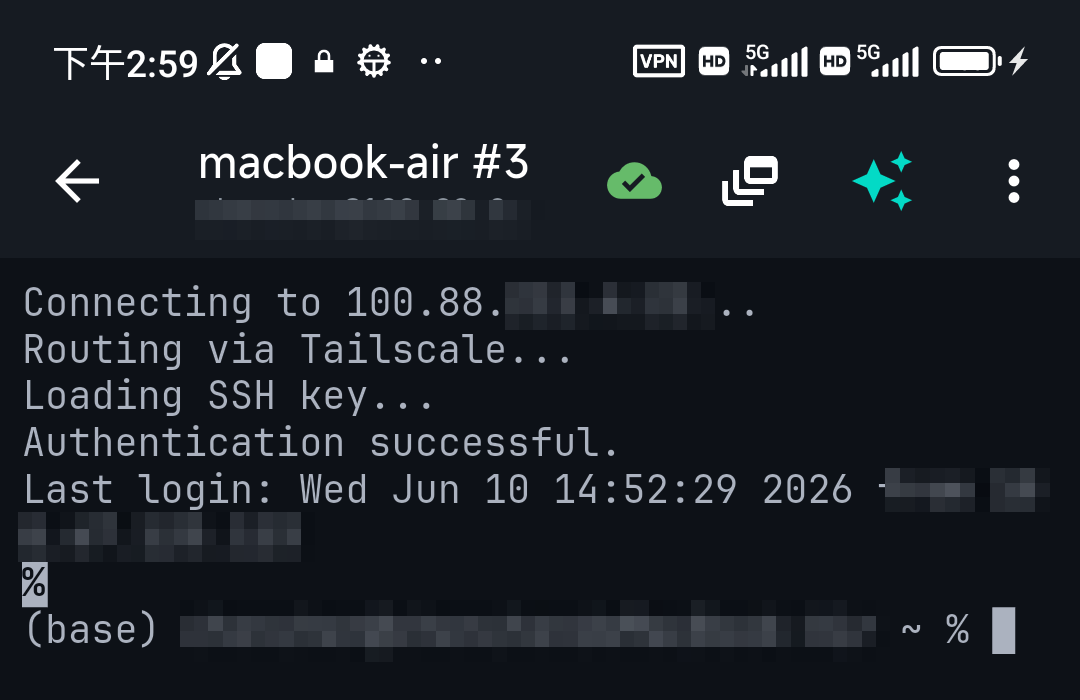
Port forwarding is mostly a desktop workflow; mobile SSH clients focus on the terminal, and typing tunnel flags on a phone is awkward. For the most common goal — reach a private service from your phone — there's usually a cleaner answer than a manual tunnel: put the service's host on a Tailscale network and reach it by its private address directly. TermAI has Tailscale built in, so instead of forwarding ports you simply connect to the private box and work. See Tailscale vs WireGuard.
A note on security
Tunnels are encrypted by SSH, which is good — but a remote forward (-R) can expose a local service more widely than you intend, and GatewayPorts can open a forward to the whole network. Forward only what you need, bind to localhost unless you mean otherwise, and prefer a private network (Tailscale) over leaving forwards running.
FAQ
What is SSH port forwarding used for?
Reaching a service that isn't directly accessible — a database on a server's localhost, an internal web UI, or your home network — by tunnelling it through SSH.
What's the difference between -L and -R?-L (local) forwards a port on your machine to a service the server can reach. -R (remote) forwards a port on the server to a service on your machine. -D makes a SOCKS proxy.
Can I do SSH tunneling from a phone?
Some clients support it, but it's fiddly on a phone. For reaching private services, Tailscale (built into TermAI) is usually simpler — connect to the private address directly instead of forwarding ports.
Quick Facts
- SSH tunnel = routing another service's traffic through your SSH connection
- -L local: reach a remote service on a local port
- -R remote: expose a local service on the server
- -D dynamic: a SOCKS proxy through the server
- On a phone: Tailscale (reach the private address directly) is usually simpler than manual tunnels
Free on iOS and Android. 5 AI requests/day on the free tier, plus unlimited SSH/SFTP and built-in Tailscale.